

This features allows you to create Product pages.
Little warning: if you have menus, don’t create them with this feature but use the “Menu” feature instead which is more appropriate.
1. Create a main category (click on “+main category”):
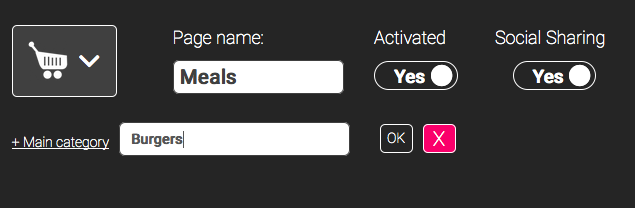
2. You’ve got 2 options:
- create a sub-category if needed (by clicking on “+ sub-category”) :
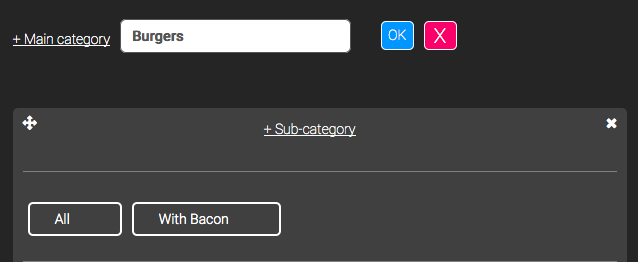
- or directly create a product (by clicking on “+ Product”) :
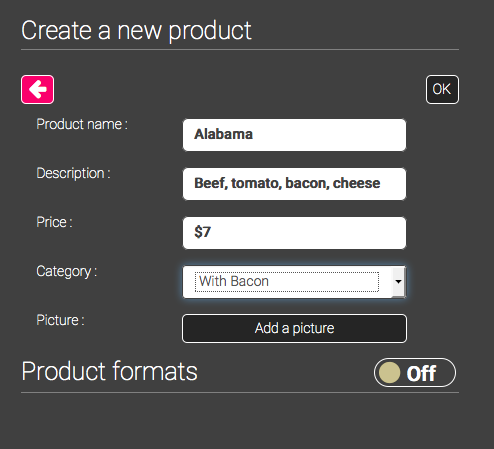
Notes :
- Think carefully about the order in which the main categories appear as they will appear in the same order they will be created.
- You can create all you main categories first, then all your subcategories and finally all your products in the appropriate subcategories.
- You can drag and drop all your subcategories (in a same main category) by clicking on
 .
.
An example of a subcategory order modification:
The subcategory “With Bacon” is 1st: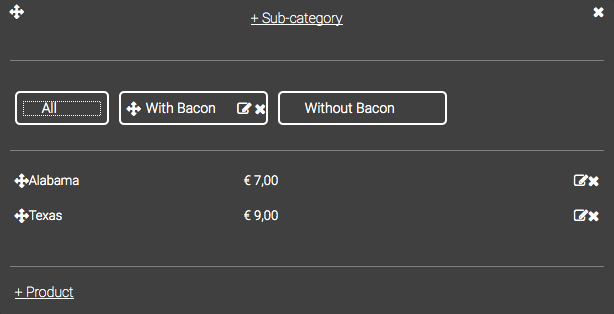

You can do the same thing with products:
“Alabama” is 1st:

“Alabama” is 2nd:
